
With Events Widgets Pro, you can easily choose how your events are displayed by selecting different layouts and templates. Follow the steps below:
- Go to the page where you want to display events and click Edit with Elementor.
- From the Elementor panel, search for Events Loop Widget and drag it to your page.
- Under the Layout section, choose your preferred layout from List, Grid, or Carousel.
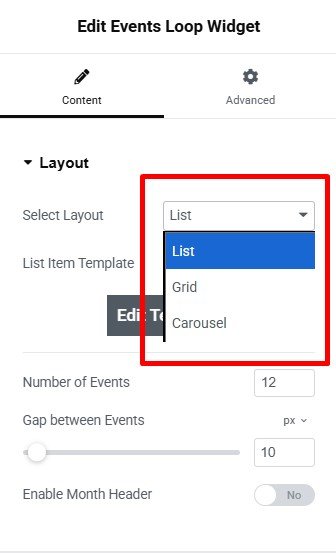
- Select a List Item Template or create a custom one by clicking Edit Template. This allows you to design each event item according to your preferences.
- After being satisfied with the changes, Update or Publish the page.